
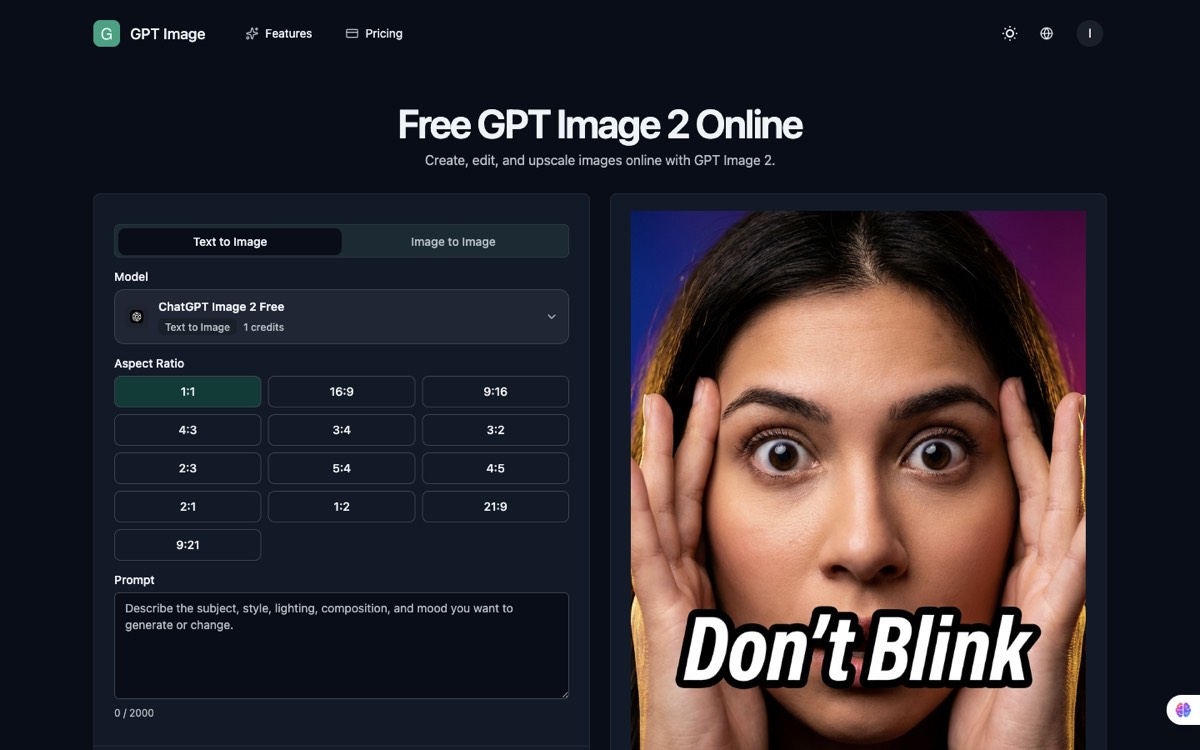
GPT Image is a browser workspace for creating, editing, and upscaling images with GPT Image 2. Both directions are covered: start from a prompt when you need something new, or start from an existing asset when you need to change the style, background, or mood while keeping the subject.
The part that makes it usable for production work is consistency control. You tell the model what must stay stable — a face, a product silhouette, packaging details, a palette, a framing — and generate variations around that. Multiple reference images can be uploaded at once when you need to combine subject, style, environment, and composition cues in one generation. Thirteen aspect ratios are available, from 1:1 through 21:9 and 9:21.
Editing is prompt-first rather than mask-first: describe blur, clutter, or unwanted details in plain language instead of rebuilding the image with manual tools.
Key Features
- Text-to-image and image-to-image — Generate from scratch or transform an existing asset.
- Multiple reference images — Combine subject, style, environment, and composition cues.
- Consistency control — Specify what must stay stable across outputs.
- Prompt-based retouching — Cleanup and restyling without manual masking.
- 13 aspect ratios — 1:1, 16:9, 9:16, 4:3, 3:4, 3:2, 2:3, 5:4, 4:5, 2:1, 1:2, 21:9, 9:21.
- Upscaling — Built into the same workspace.
Use Cases
- Ecommerce — Turn a plain packshot into a lifestyle scene without booking a new shoot.
- Creator brands — Keep a character or product line visually coherent across many outputs.
- Campaigns — Test several creative directions from one brief before committing.
How It Works
- Choose text-to-image or image-to-image.
- Add a prompt, and reference images when you need tighter control.
- Define what must stay consistent — face, silhouette, palette, framing.
- Generate variations and keep the strongest.
The main site is image-gpt.org, with the dedicated AI photo editor at image-gpt.org/ai-photo-eidtor.